alphabetool - ai writing chrome extension
Alphabetool is a Chrome extension that helps users improve writing directly from the browser toolbar.
- Stack
- 12components
- Shipped
- 07features
- Frames
- 06captures
- Status
- LIVEin production
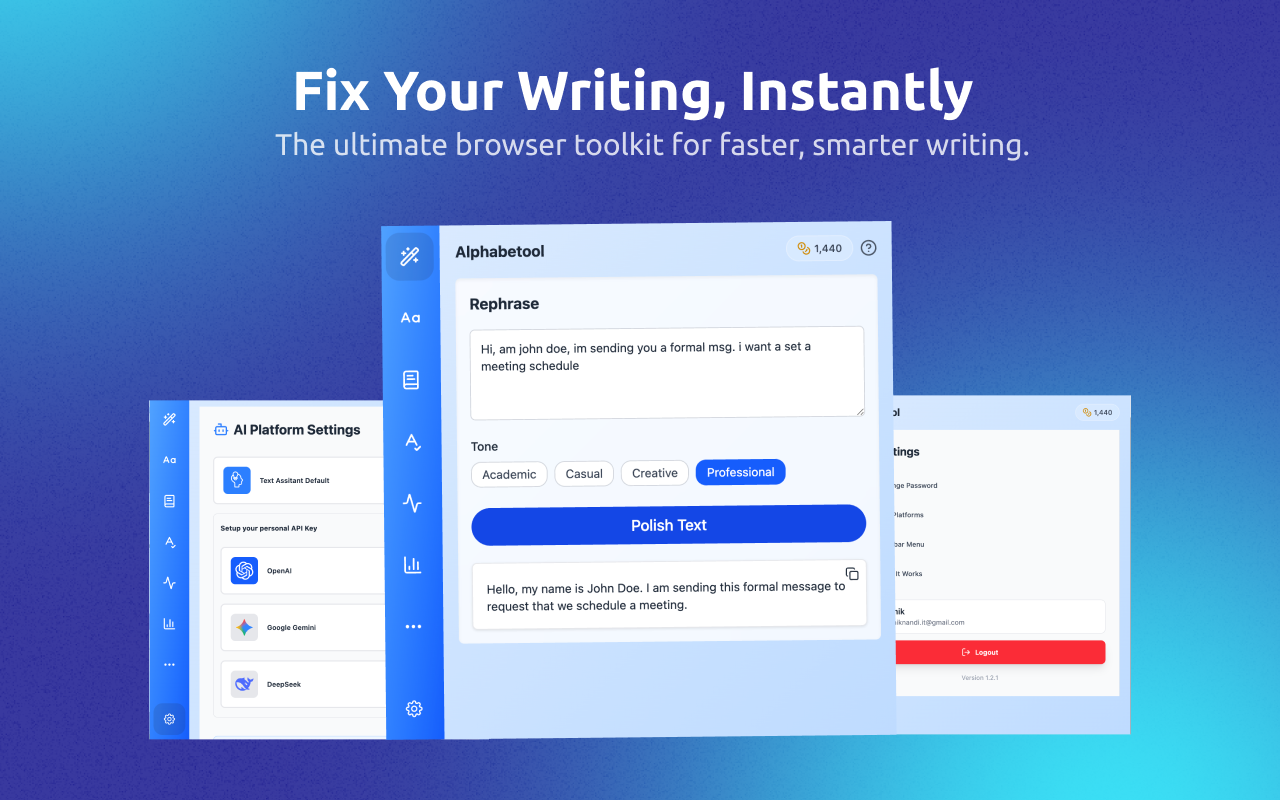
overview.
Alphabetool is a Chrome extension that helps users improve writing directly from the browser toolbar. It combines AI-powered text transformation and analysis into a single lightweight experience, allowing users to rephrase, proofread, summarize, and analyze text without leaving their current workflow.
Writing tasks often require switching between multiple websites, editors, and AI tools. This creates friction for everyday jobs like rewriting content, fixing grammar, summarizing documents, or analyzing tone. Users also need a fast, simple way to access these tools from the browser without a heavy setup.
The extension was built as a compact React-based popup app with a focused UX for quick actions. The team combined a modular page structure, reusable UI components, and AI provider integrations so users can choose a tool, paste text, generate output, and copy it back easily. The product also includes authentication, settings, and API-key management to support a more complete experience.
the problem.
- 01Writing tasks force users to switch between multiple websites, editors, and AI tools, creating friction for everyday work.
- 02Rewriting, proofreading, summarizing, and tone analysis are usually split across disconnected products.
- 03Users need a fast, lightweight way to access AI writing tools from the browser without a heavy setup.
- 04Managing API keys and provider selection across OpenAI, Gemini, and DeepSeek requires a clean configuration layer.
- 05First-time users can be overwhelmed by writing tools without guided onboarding.
approach.
- 01Built a compact React-based popup app with a focused UX for quick actions from the browser toolbar.
- 02Designed a modular page structure and reusable UI components so tools can be added or swapped without rewrites.
- 03Integrated multiple AI providers behind a single interface, letting users pick a tool, paste text, generate output, and copy it back.
- 04Added authentication, password recovery, and account settings for a more complete product experience.
- 05Shipped API-key configuration, active-provider selection, and a copy-to-clipboard workflow to keep the loop tight.
- 06Included guided onboarding and tutorial support powered by Driver.js for a smoother first-use experience.
what shipped.
- 01Chrome extension UI with a welcome experience and app shell.
- 02Multiple writing tools: rephrase, transform case, proofread, and summarize.
- 03Analysis tools: sentiment analysis, readability scoring, keyword extraction, and text complexity analysis.
- 04AI-powered output generation with support for multiple providers such as OpenAI, Gemini, and DeepSeek.
- 05User authentication, password recovery, and account-related settings.
- 06API-key configuration, active-provider selection, and a simple copy-to-clipboard workflow.
- 07Guided onboarding and tutorial support for a smoother first-use experience.
stack.
gallery.
↗ smart rephrasing: transform your text with ai-powered rephrasing and tone adjustments.
↗ case conversion: change text to uppercase, lowercase, title case, and more.
↗ summarization: condense long paragraphs into concise summaries while retaining key points.
↗ proofreading & grammar check: identify and correct grammar, spelling, and punctuation errors in your text.
↗ sentiment analysis: analyze the tone and sentiment of your text to understand its emotional impact.
↗ keyword extraction: extract important keywords and phrases from your text for better understanding and seo optimization.
election observer society platform.